Gold Standard Anterior Segment Diagnostics
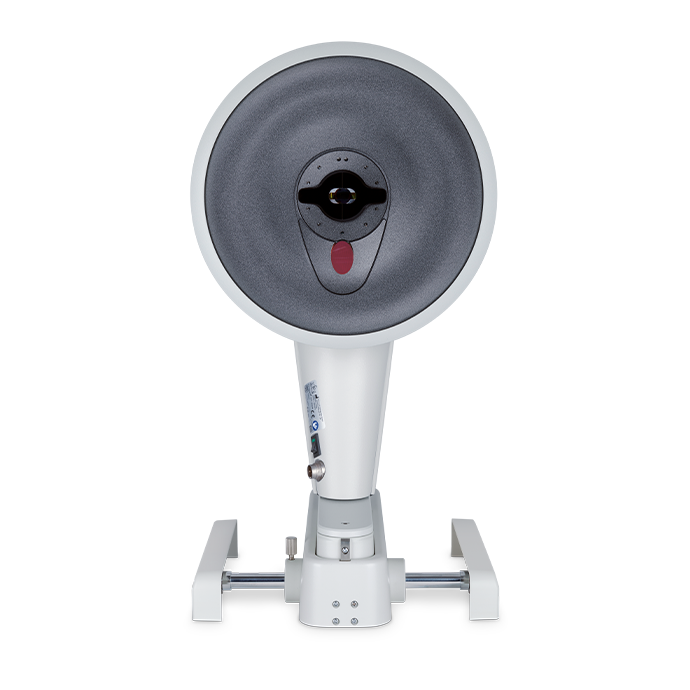
The new Pentacam® AXL Wave is the first device to combine Scheimpflug tomography with biometry, total wavefront, objective refraction and retroillumination. Equipped with high-end hardware and software for optimum treatment and satisfied patients, the new Pentacam® AXL Wave makes no compromises on quality!
Included Technologies

Scheimpflug Tomography
Proven since many years and meanwhile the established gold standard, the Pentacam® is unrivalled for its capabilities around contact-free, tear-film-independent measurement, imaging and analysis of the anterior eye segment.

Objective refraction
This decisive parameter is determined by wavefront analysis before and after surgery.

Wavefront analysis of the whole eye
The total lower and higher order aberrations of the eye are measured using Hartman-Shack technology. Visual representations serve to assess the individual contributions of the cornea and the crystalline lens to the optical quality of the visual system.

Optical biometry
Contact-free axial length measurement with proven precision. An indispensable technology to support myopia management and IOL calculation.

Retroillumination
For preoperative assessment of lens opacities and postoperative inspection of IOL position.
The Tool For

Screening
The Pentacam® serves to measure and analyze the cornea as well as the entire anterior eye segment.
- Corneal instability & thickness
- Corneal pathologies
- Closed angle glaucoma

Refractive Surgery
The Pentacam® supplies information critical to safely planning refractive procedures such as LASIK or IOL implantation.
- Corneal refractive surgery
- Refractive lens exchange
- Phakic IOLs

Cataract Surgery
The Pentacam® assists in selecting the right IOL for cataract surgery.
- Pre-op screening
- IOL selection and calculation
- Barrett RX post-op tool


Core Functions
Preoperative preparation
at the highest level


Full Sequence Overview
After the fast measurement routine, the Full Sequence Overview Display shows you the most important parameters at a glance, giving you a first impression of your patient’s visual performance.
Full Sequence Overview
When you’re done with the simple measurement routine, the new Overview Display of the Pentacam® AXL Wave shows you the most important parameters at a glance, giving you a first impression of your patient’s visual performance.

Retroillumination
The retroillumination function makes it easy to check IOL inclination and centration, especially with toric IOLs, opening up a way to improve the post-operative result where necessary.

Visual Performance
Wavefront analysis using optotypes allows for a simulated assessment of the eye’s optical system under real visual conditions. This enables not only the evaluation of total ocular aberrations, but also the individual contributions of the cornea and the crystalline lens. By differentiating between these components, clinicians gain valuable insight into their respective optical properties and specific correction needs. This level of detail supports informed decisions in diagnostic evaluation, refractive surgery planning, IOL selection, dry eye management, and postoperative care.
Why We Love the Pentacam®
Crespo


Accessory products
Corvis® STL
Visualization of Deformation Response, Tonometry, and Pachymetry
Use the revolutionary corneal visualization Scheimpflug technology to record the cornea’s reaction to a defined air pulse and precisely measure IOP and corneal thickness.
Keratograph® 5M
The Gold Standard in Corneal Topography & Keratometry
Perform dry eye diagnostics, contact lens fitting, and corneal irregularity screening with this multi-purpose topographer that includes a built-in real keratometer and color camera optimized for external imaging.
FAQ
Placido topography is based on analyzing reflections of concentric Placido rings on the eye’s tear film, and therefore depends on a stable tear film for accurate results. Due to the need for a central camera, Placido systems cannot project rings onto the central cornea—meaning the most clinically important area is extrapolated rather than directly measured. Additionally, Placido topography provides data only on the anterior corneal surface.
In contrast, Scheimpflug imaging, as used in the Pentacam®, captures true cross-sectional images of the anterior eye segment, providing accurate, tear film–independent measurements. This technology delivers direct measurements of the central cornea and calculates data from both the anterior and posterior corneal surfaces. The integration of Placido technology is unnecessary for enhancing Pentacam® results—an assertion supported by extensive clinical research.
The Pentacam® is often recognized as a powerful imaging device that supports the detection of corneal abnormalities. Each Scheimpflug image captured during the measurement procedure can be viewed individually, and the software allows the operator to adjust the images manually for enhanced analysis. By inspecting the individual Scheimpflug images, the Pentacam® assists in identifying conditions such as Fuchs’ Dystrophy, Pelucid Marginal Degeneration (PMD), Pterygium progression, nuclear lens changes, and more.
Yes, as long as your device is updated with the latest software, it will be able to display the newest features and updates, based on the options available for your Pentacam® model.
Automated keratometry generates K values on the 3 mm ring centered on the pupil center. The Pentacam® gives the clinician the option to have K values calculated for different maps using either the pupil center or the apex as the center. Once the option for the center reference has been chosen, the area to be calculated can be chosen either as a ring around the center, or in a zone (average of measurements in the area in the ring).
In the BAD, all the curvature data for a specific diameter are used to calculate the radius of a reference surface (BFS) to evaluate height data – this supports the detection of suspicious elevation in the anterior and the posterior cornea. The EBFS uses curvature data for the same diameter as above, however it is excluding an area around the thinnest point (TP) of the cornea. In other words, the TP is detected; an area (usually 3.5 mm) around the TP is excluded in calculating the radius for the new reference surface. In a normal cornea, the visual appearance of the maps does not differ between the BFS and the EBFS. But in a potentially ectatic cornea where elevation (different curvature) will occur around the TP, excluding an area around the TP flattens the reference surface making it easier to visually detect early elevation.
The Belin/Ambrosio Display (BAD) is designed as a screening tool to assess corneal elevation and curvature patterns, particularly in patients being evaluated for refractive procedures.
The most important parameter is the “Final D”. The other 5 parameters contribute to the “Final D” value, but none of the 5 should be used on its own as a screening parameter.
If the patient’s refraction is hyperopic – regardless of amount – the Hyperope option should be activated. The reason for this is that normative data for posterior elevation differs between myopes and hyperopes.
The Belin ABCD Staging Display is a modern tool designed to support the comprehensive assessment of corneal shape and thickness by incorporating multiple parameters:
- A – anterior corneal curvature
- B – posterior corneal curvature
- C – corneal thickness at the thinnest point
- D – distance-corrected visual acuity
While older models focused only on anterior curvature and central corneal thickness to assess abnormalities, the ABCD system provides a broader view of the cornea using advanced tomographic data.
The Belin ABCD Progression Display offers valuable insight into structural and visual changes in the cornea over time. This assists eye care professionals in evaluating and documenting changes, particularly when managing patients who may be at risk for progressive corneal conditions.
The Pentacam® provides detailed tomographic imaging and corneal analysis, offering clinicians valuable insights into the structure and shape of the cornea. Tools such as the Belin/Ambrósio Display and the Belin ABCD Progression Display support the assessment of corneal changes over time by analyzing anterior and posterior curvature, corneal thickness, and visual acuity data.
The Pentacam® aids practitioners in early identification of patterns associated with structural changes and helps guide clinical decision-making, supporting timely intervention strategies aimed at preserving visual function.
Additionally, the Pentacam® can be automatically linked to corneal crosslinking (CXL) planning software (such as Avedro) to streamline the transfer of relevant corneal data. Its comparison displays also allow clinicians to evaluate and document pre- and post-treatment changes, enhancing treatment planning and follow-up.
Yes, for the Pentacam® HR the IOL calculator can be added. This IOL calculator includes various IOL formulas and more than 350 IOL geometries. Automatic transfer of correct K measurements eliminates transcription errors and helps to save time. The axial length can be typed in manually.
If the device does not have the IOL calculator, links to various external IOL calculators can be set up with the Pentacam® HR.
The Pentacam® AXL Wave can measure axial length in many cases of mature cataracts; however, extremely dense cataracts may occasionally present a challenge.
No, the two models have different hardware so the Pentacam® HR cannot be modified to operate as the Pentacam® AXL WAVE does.
The Pentacam® is a tomographer, generating a 3D image of the anterior segment of the eye and it is not tear film dependent. In only 2 seconds, information regarding the anterior segment is derived, aiding practitioners in contact lens fitting, corneal abnormality screening and staging, and various other functions.
The measurement is very fast, but also all the important parameters are summarized on one display – Fast Screening Report – comparing each patient’s results to a normal and pathological database. This enables practitioners to detect abnormal results quickly.
Technical Data
| Camera | Digital CMOS camera |
| Light source | Blue LEDs (475 nm UV-free) |
| Processor | DSP with 2 746 m operations/s |
| Speed | 100 images in two seconds1) |
| Curvature | 3 – 38 mm 9 – 99 D |
| Precision | ± 0.1 D |
| Reproducibility | ± 0.1 D |
| Operating distance | 80 mm (3.1 in) |
| Axial length | 14 – 40 mm |
| Dimensions (W x D x H) | 278 x 320 – 400 x 500 – 532 mm (10.9 x 12.6 – 15.7 x 19.7 – 20.9 in) |
| Weight | 9 kg |
| Max. power consumption | 35 W |
| Recommended computer specifications |
Intel® Core™ i5, 500 GB SSD, 8 GB RAM, Windows® 11, Intel® HD Graphics |
1) in “Cornea Fine Scan” imaging mode
Contact us!
Request a quote or contact us if you need further information.
Request a quoteContact requestCall us
Questions?
Get in touch with us.
Tel. +1 888-284-8004